Create a New Project in Calpendo
To begin scanning at CFMRI, users must have an approved project in Calpendo. To create a new project request, you must already have a Calpendo user account. To request an account, click here.
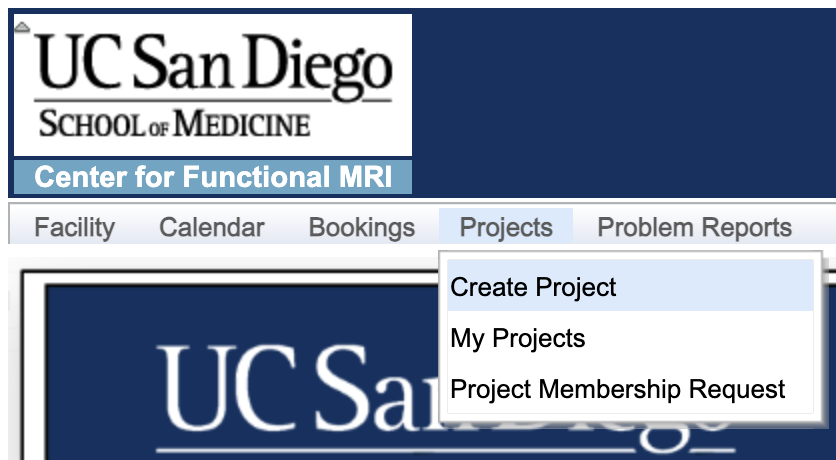
After logging in, click “Projects” on the top menu bar. Select “Create Project”. Fill in as much info as possible in each section, then click “Next” to continue.
Section I: Project Info
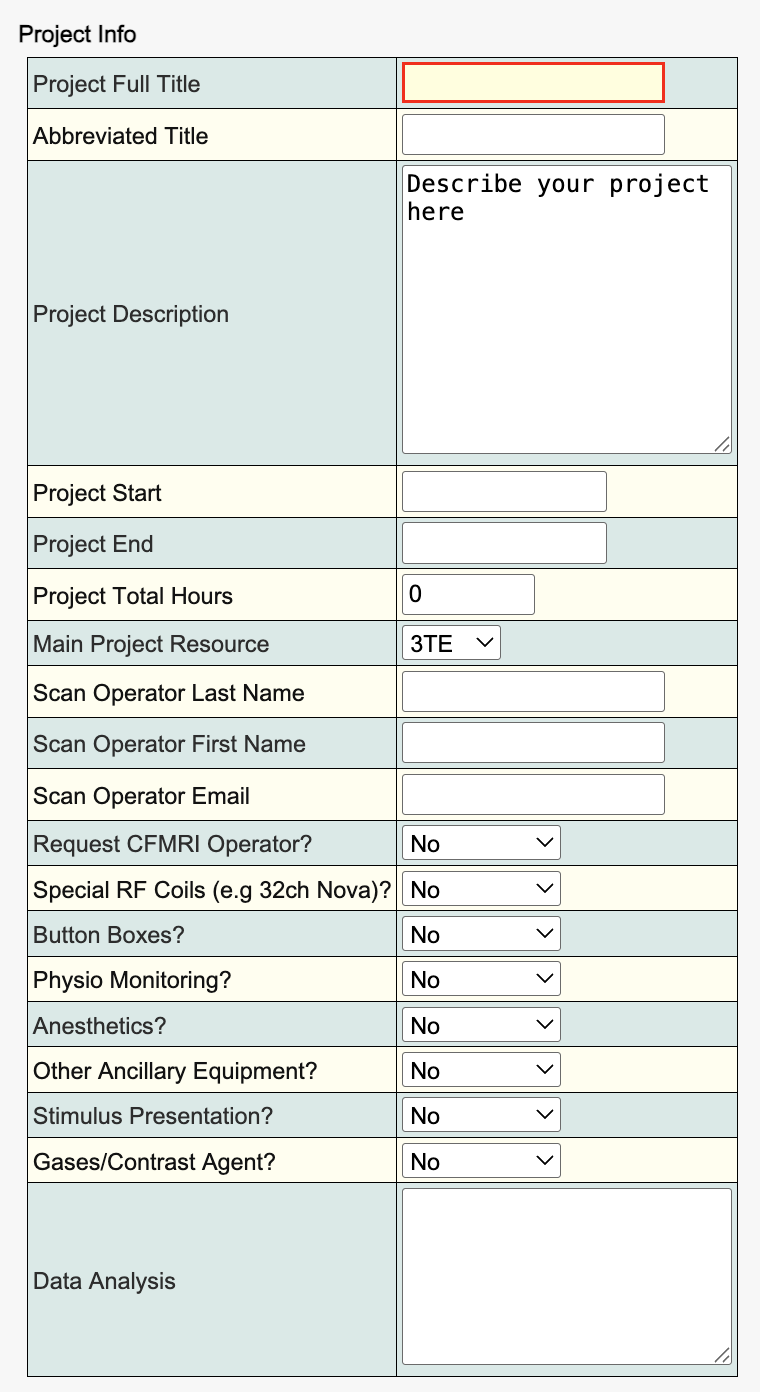
Science Team will review this section thoroughly. The essential info must be completed such as: Project Title and Abbreviated Title, Project Description, Main Project Resource and Scan Operator Name and Contact Email.
Section II: PI & Institution
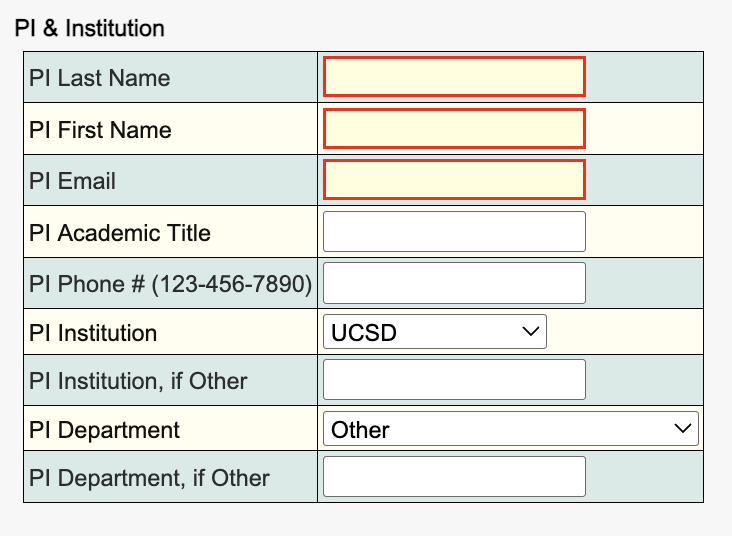
Input the Primary Investigator (PI) whose fund will be used for recharges and invoice payment. PI Institution dropdown choices determine if it’s an internal recharge or an external billing.
Section III: Additional Contact
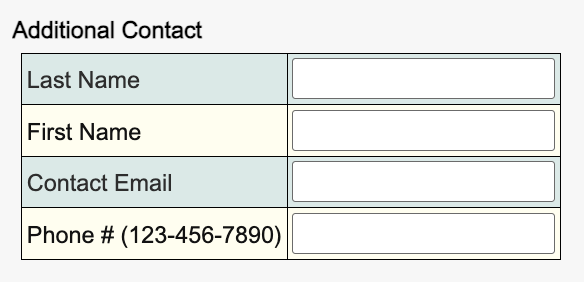
Many labs will have a research coordinator or lab manager assigned as additional contact. This contact will receive billing, IRB/IACUC renewal, and booking cancellation emails.
Section IV: IRB/IACUC
If the Human Subjects dropdown choice is set to “True”, a current IRB number & approval letter is required. If the project uses live animals, a current IACUC number & approval letter is required. If the protocol contains multiple species or a species not listed in the dropdown choice, record them in the “if other animal” text field. Ex-vivo samples, tissues, carcasses and phantoms scans do not require an IACUC approval letter.
Section V: Billing & Financial Contact
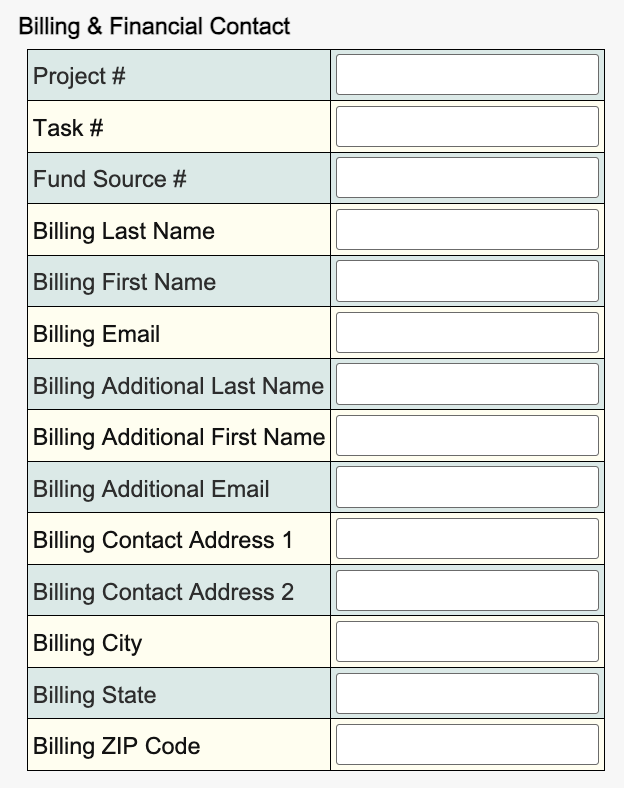
You must provide a valid project # and task # for recharge. Input a fund source # if applicable. Billing Contact usually is the fund/project manager. Fill in their contact information and they will receive monthly pre-billing statements and recharge invoices.
Last step: click “Submit Project”.
After the CFMRI team approves the project, the status will be changed to “Approved”. Calpendo will send a notification to the PI and the Requester that the new project is approved.
Tips: Click “Next” to proceed to the next section even though some required info is missing such as a chart string and an award number. Please remember to SAVE before exiting Calpendo. You may come back later to add info and submit the new project.